
Introduction
Extended Reality (XR) is often associated with a single person wearing a headset and interacting with a virtual environment. But what happens when several people need to take part in the same experience, and not everyone uses the same device?
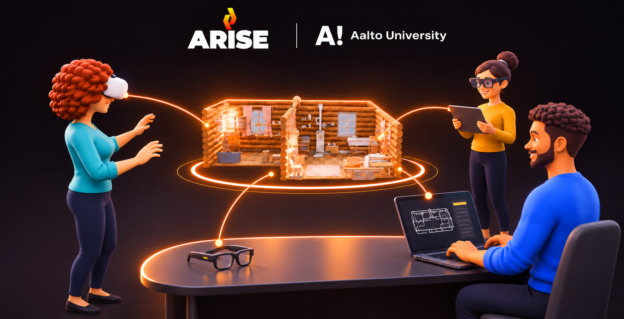
Imagine a person exploring a virtual building using a VR headset. Beside them, an instructor uses a laptop to follow their progress, inspect a floor plan, and control parts of the environment. Both are participating in the same activity, but they do not see or interact with it in the same way.
This is an example of asymmetric extended reality (XR). The differences between participants can come from the devices they use, their viewpoints, the information available to them, their input methods, or the actions they can perform. Rather than giving everyone the same experience, an asymmetric XR system can provide each participant with an interface suited to their part of the shared activity.
This course provides an introduction to asymmetric XR systems. We will look at where these differences come from, how different devices and interfaces can support the same activity, and how to describe the capabilities of each participant. The course is intended for a general audience, and no programming knowledge is required.
Table of contents
- What Is Asymmetric XR?
- Why build asymmetric XR?
- A first asymmetric system
- What can be asymmetric?
- The range of XR devices
- A working definition of asymmetric XR
- From different interfaces to one system
- Devices, Views, and Ways of Interacting
- Devices and their characteristics
- Viewpoint and representation
- Input and interaction
- Information
- Actions, capabilities, and permissions
- Physical situation and context
- Describing an asymmetric interface
- From interfaces to shared actions
The following chapters will be released in a few weeks.
Learning objectives
After completing this course, you will be able to:
- Explain what asymmetric XR is and identify situations in which it can be useful.
- Identify different sources of asymmetry between participants in a shared XR experience.
- Describe the capabilities and limitations of common XR and non-XR devices.
- Explain how viewpoints, input methods, information, and available actions can differ between participants.
- Describe an asymmetric XR interface using its main components: device, view, input, information, and actions.
- Explain how different interfaces can interact with the same underlying application and affect a shared activity.
Practicalities
- You must mark each topic/subchapter as completed before being able to move on to the next topic/quiz/lesson. The “Mark complete” button is found at the end of each topic/subchapter.
- The course includes videos, which are muted by default. The videos include some audio effects, which you can hear by unmuting the audio. (The video menu/toolbar becomes visible after you have clicked or tapped the video.) You can also view the videos fullscreen and adjust the speed.
- Among the text, you will find “Pause & Think” exercises. When you come across these, we suggest you pause for a few minutes to reflect on the content.
- Sometimes the system may load for quite some time (and the only indication that it is loading may be near the address bar of your browser).
- Feedback: We greatly appreciate all feedback regarding the course content. You can send your feedback anonymously via this Webropol survey.
Contributors
Markus Kirjonen, Ella Peussa and Mika P. Nieminen
Aalto University, School of Science, Department of Computer Science
Disclosure of tools
GPT-6, Claude Opus 5.5, Tripo AI, Mixamo animations, and custom Blender pipelines were used in the development of the content, figures, and videos.
Course Content
About Instructor

Course Includes
- 2 Lessons
- 16 Topics
- 2 Quizzes